


 Mon Sep 04, 2006 2:55 pm
strmnrmns list debugger!!
Finally hes showing it!!!
He sais its also providing some good features such as the combiner exlorer!
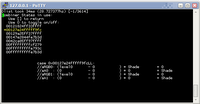
Its also able to enable or disable. When its disabled, it will replace the triangle button with a cool green texture on you're model like so:


When the Texture Explorer looks like this in the PSPLink Browser for PSP:

Hes making a lot of improovements, but what I like most of all is the improovements in the textures for sure, with his debugger hes able to get a nice smooth texture like how he has shown us on the door here:

strmnrmn has allowed us to see how his projects looks from when he started and from how it looks now/currently, theres too many photos so Il just pot the first and the current:
First:

Current:

Very Good improovements from his first release!
[00066] 0x00214290: 01060040 802143b0 G_GBI1_MTX
Command: ModelView Load Push Length 64 Address 0x002143b0
+1.00000 +0.00000 +0.00000 +0.00000
+0.00000 +1.00000 +0.00000 +0.00000
+0.00000 +0.00000 +1.00000 +0.00000
+0.00000 +160.00000 +0.00000 +1.00000
[00067] 0x001c1118: bb000001 ffffffff G_GBI1_TEXTURE
Level: 0 Tile: 0 enabled
ScaleS: 0.999985, ScaleT: 0.999985
[00068] 0x001c1120: 04f00100 0a000000 G_GBI0_VTX
Address 0x001c1000, v0: 0, Num: 16, Length: 0x0100
#00 Flags: 0x0000 Pos: { 0.000000, 60.000000,-1.000000}
#01 Flags: 0x0000 Pos: { 80.000000, 60.000000,-1.000000}
#02 Flags: 0x0000 Pos: { 80.000000, 80.000000,-1.000000}
[00069] 0x001c1130: bf000000 00000a14 G_GBI1_TRI1
Tri: 0,1,2
What this is showing is a matrix being loaded (command 0066), texturing being enabled (0067), a bunch of vertices being loaded (0068) and then a triangle being rendered (0069). (That's quite a lot of work to display a single trinangle! In reality the n64 would load up batches of vertices and render multiple triangles at a time.)
He sais its also providing some good features such as the combiner exlorer!
Its also able to enable or disable. When its disabled, it will replace the triangle button with a cool green texture on you're model like so:
When the Texture Explorer looks like this in the PSPLink Browser for PSP:
Hes making a lot of improovements, but what I like most of all is the improovements in the textures for sure, with his debugger hes able to get a nice smooth texture like how he has shown us on the door here:
strmnrmn has allowed us to see how his projects looks from when he started and from how it looks now/currently, theres too many photos so Il just pot the first and the current:
First:
Current:
Very Good improovements from his first release!